← App store
 Get your box
Termix
One web app to manage your servers over SSH, with a terminal, file manager, tunnels and remote desktop.
Overview
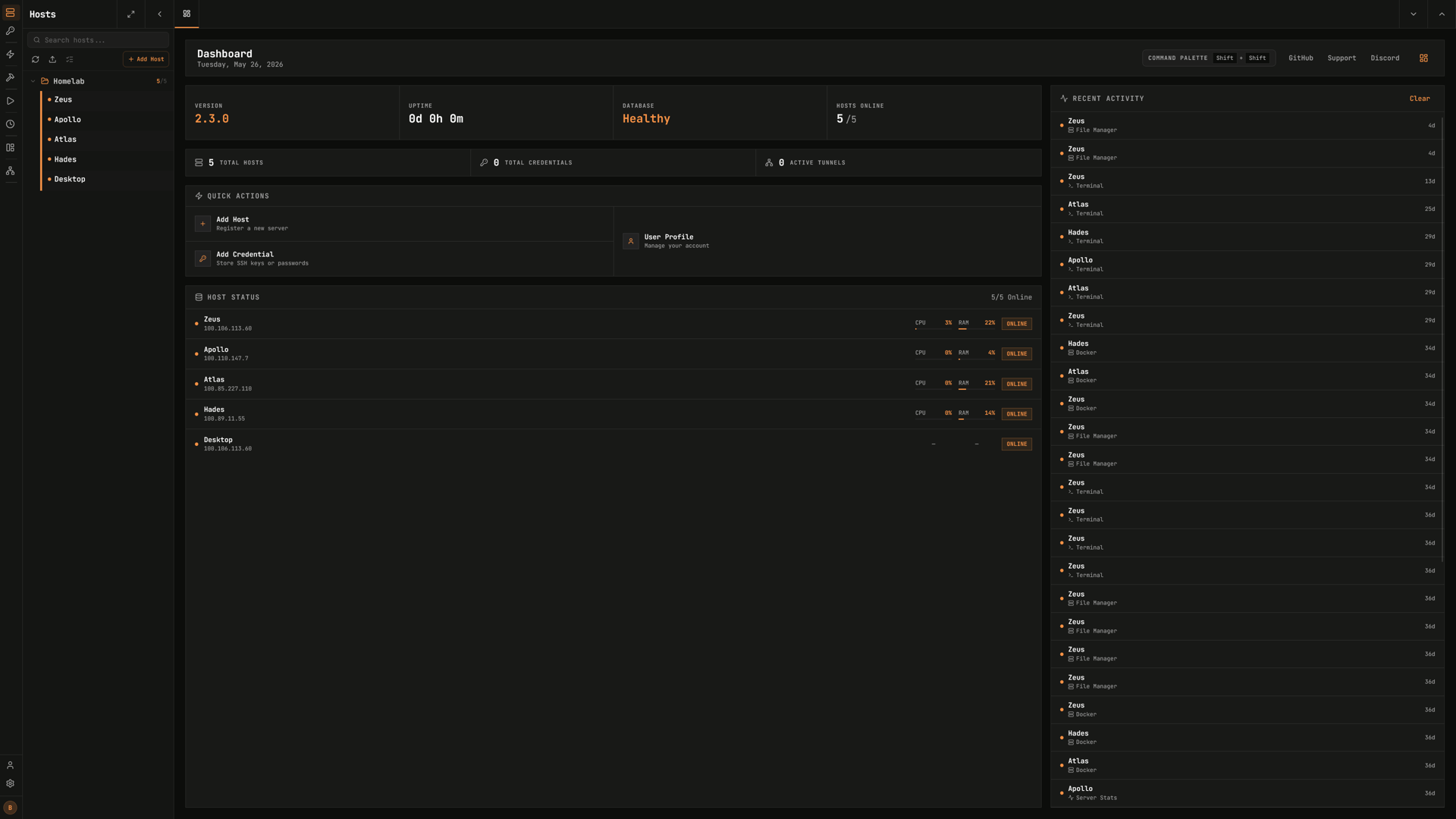
Termix is a web app for reaching your servers from one place. You save your hosts once, then open a terminal, browse files or watch live stats from your browser. It also keeps your SSH keys and passwords in an encrypted store, so you do not paste them again.
Features
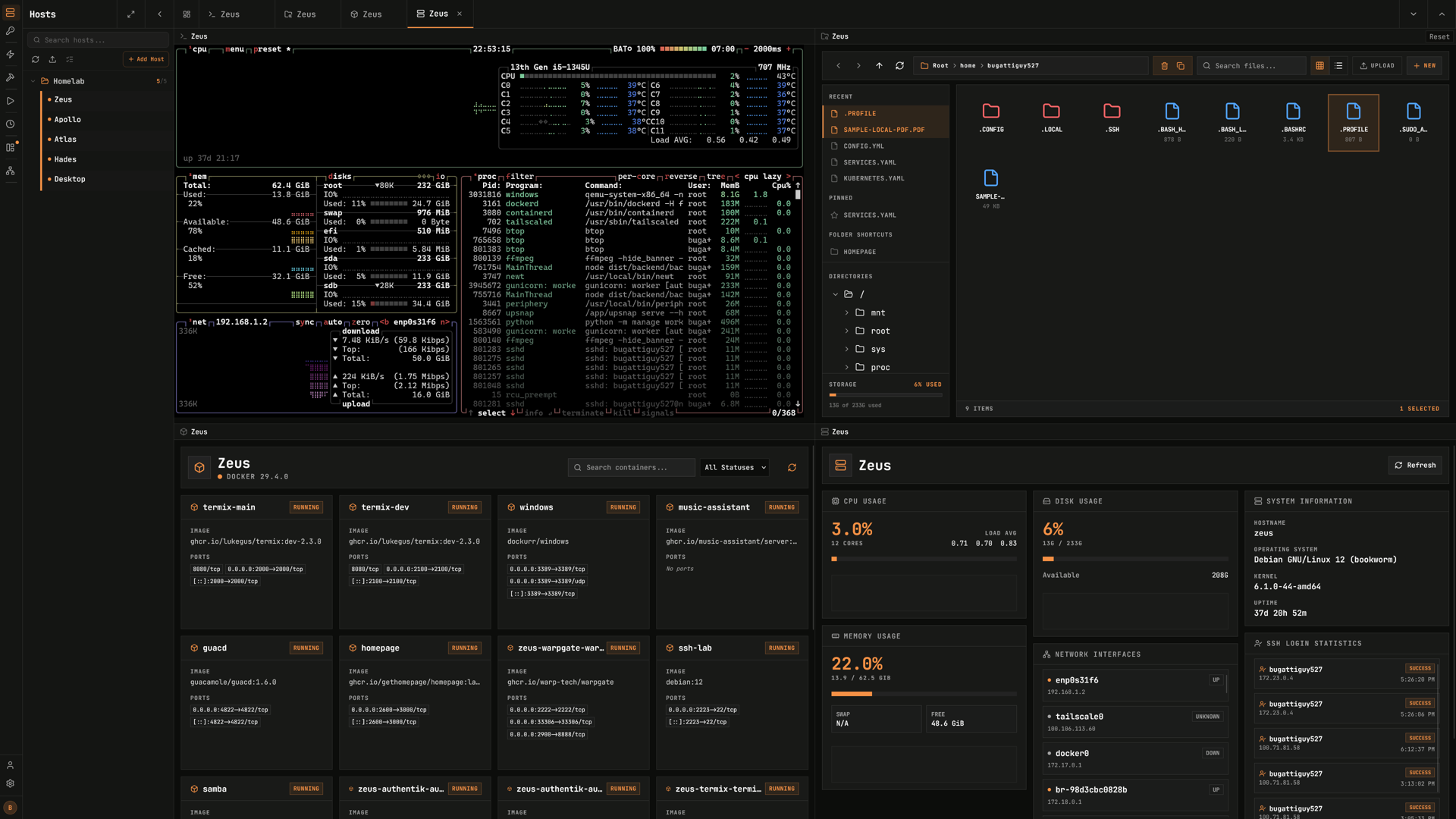
- SSH terminal with tabs and split screen
- Remote file manager: browse, upload, download and edit files on a host
- SSH tunnels, to reach a port on a remote host
- Remote desktop over RDP and VNC, and Telnet
- Live CPU, memory and disk stats per host, with alerts
- Docker container management on a host, over SSH
- Saved credentials, command snippets and host folders
- Several users, roles, two-factor sign-in, passkeys and single sign-on (OIDC)
Setting up
The first account you register after install becomes the administrator. Sign-up stays open after that, so once you have your account, open Admin and turn sign-up off.
Good to know
- Termix needs to reach your servers. It opens the connections itself, so each host must be reachable from this box, and its SSH port must be open. The install asks for internet and home network access for this reason. Turn one off and hosts on that side stop working.
- Keep the box login in front of it. Termix holds keys and passwords for your servers. Anyone who can sign in to it can open a shell on every host you saved, so treat access to this app like access to those servers.
- Usage reports are turned off. Upstream sends a daily, anonymous usage report by default. This package turns it off. Termix still asks GitHub whether a newer version exists, to show on the dashboard. Updates come through the moose store, not from that notice.